
Integrations

Simplify client payments by seamlessly integrating with one of the merchants listed below. While manual input is always an option, utilizing these integrated solutions ensures a smooth and easy experience. Explore the different options and follow the provided instructions.
Online Payment Integration
-
You can integrate your Seazona account with Stripe, so that your clients can pay you online via a credit card.
-
You can integrate your Seazona account with PayPal Checkout, so that your clients can pay you online via a credit card.
-
You can integrate your Seazona account with Fiserv through CardPointe, so that your clients can pay you online via a credit card, E-Check (ACH), or Surge Charge.
Please note that they required to maintain annual PCI compliance by completing a Self-Assessment Questionnaire (SAQ).
-
If your merchant vendor can provide you with a payment URL or HTML code, we can add that to your account so that your clients can make payments online.
However, this means that you will need to manually add any payments received in Seazona. Whereas, with the above options, payments are automatically posted.
Once you've chosen your payment option, please ensure to submit a Technical Support Ticket. Select the option "Client Payments & Billing" and in the details section at the bottom provide us with the necessary information such as an API Key or Token.
Important Note: Please be advised that these merchant service options are separate, independent businesses and are not part of Seazona. We recommend reviewing the terms, pricing, privacy policies, and customer reviews of any selected merchant service before making your decision. Seazona may receive compensation for certain products or services mentioned.
Here are some ways to make the most of our online payment system once you've completed integration:
Manual Input via Dental Lab Site: If your client provides their payment information, you can manually input the card details yourself. Simply navigate to Reports > Account Balance > and click on the Credit Card Icon.
Client Portal Payments: Clients have the option to make payments through the client portal once you've generated a statement and made it visible to them.
Convenient Payment Links in Statement Emails: When you email statements to your clients via the dental lab site, a "Pay Now" link will automatically be included. This makes it easy for clients to proceed with payments. For a more detailed guide, we recommend watching the statement videos available on the tutorial page.
How it Works

Lab Site > Reports > Account Balance
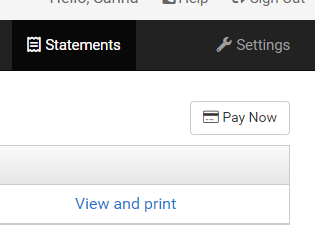
Client Portal
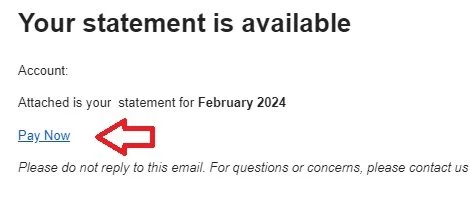
Statement Email